 QuakeHub.net
Every Server. Every Quake.
DEVELOPERS / API
QuakeHub.net
Every Server. Every Quake.
DEVELOPERS / API
Developers / API
Free, versioned JSON for live Quake server & player data - across every classic Quake game, with honest player counts (bots excluded).
Want to see this data in action? The live world map is this API wearing its best clothes - and you can embed it, or build your own.
The API at a glance
/summaryOne-call snapshot of all Quake: total real players, populated/total servers, and the busiest game and server right now.GET/gamesEvery game with its live real-player count and populated-server count.GET/servers/{game}All servers for a gameGET/server/{game}/{ip}/{port}One server with its current roster (from the last poll), join details, and live match state.GET/players?q={name}Find players by (partial) name across every gameGET/find?q={name}Find SERVERS by (partial) name across every game - this is how you get the game:ip:port id for a card embedGET/liveEvery populated server across all games, busiest (most real players) first.GET/locationsThe live world map as data: every located, populated server as a standard GeoJSON FeatureCollectionGET/countriesWhere on Earth is Quake alive right now: real players and servers per country, busiest country first, with a per-game breakdown inside each row.GET/maps/{game}What is actually being played right now: map popularity by real players and server count, busiest firstGET/maps/{game}/{map}Every server running one specific map right now, fullest firstGET/query/{game}/{ip}/{port}Query any server live, right now, even one we have never listedGET/server/{game}/{ip}/{port}/busyWhen your server is actually busy: average real players for each hour of the day, in UTC, built from every poll we have ever made of itGET/last24/{game}What ACTUALLY happened over the last 24 hours: every server that had real players on it, with its peak count for each hourGET/mods/{game}Which mods are actually alive: CPMA, OSP, Excessive Plus, OpenTDM, Action Quake and so on, ranked by how many real players spent the week in themGET/gametypes/{game}The same ranking for game modes: duel, FFA, CTF, clan arena, instagibGET/list?servers={ids}Exactly the servers you name, in the order you name themGET/bestThe single best server to join right now: the fullest one, ties broken by pingGET/randomA random server that currently has real people on itGET/history/{game}Population history for a game: the last 24h series plus an average real-player count per UTC hour.GET/streamServer-Sent EventsGET/trends/{game}Long-term daily population: one row per day with that day's peak, average and server count, kept for the lifetime of the siteGET/month/{month}The State-of-Quake archive: one month of the whole scene as a single record - matches played (a map counts once it has held 2+ real humans AND a real human has scored a frag), human-hours, the busiest single moment with its timestamp, the 24-hour shape of the scene and its daily population line, map/gametype/mod of the month, hosting countries, how many distinct maps and countries it touched, the fake-clients-per-poll tally, server-of-the-month standings, servers that arrived and went dark, matchmaking peaks and the most-watched streamGET/stats/{game}A week behind one game: most played map, mode and mod, most active country, busiest day and hour, the fullest match, and the servers carrying itGET/card/week/{game}The week as an embeddable SVG: most played map, mode and mod, busiest hour, fullest match, peakGET/mastersWhich Quake master servers still answer, and how many servers each returnsGET/streamsLive Quake streams on Twitch right now, most viewers first.GET/eventsUpcoming Quake tournaments and events, soonest first.GET/badge/{game}Embeddable SVG badge with the live real-player count (game=all for the grand total)GET/badge/server/{game}/{ip}/{port}Embeddable SVG badge for ONE server (its live real players / max) - for server ownersGET/badge/streamsEmbeddable SVG badge with the number of live Quake streams on Twitch and their total viewers.GET/card/server/{game}/{ip}/{port}Embeddable SVG CARD for one server - name, game, map, mode, live player count, location and pingGET/card/busy/{game}/{ip}/{port}Your server's busy hours as an embeddable image: a bar per hour of the day, the busiest one called outGET/card/sceneThe whole of Quake in one image: every game with its live player count, biggest firstGET/card/trend/{game}Daily peak players over time, as a sparklineGET/card/topEmbeddable SVG card: the most active Quake servers right now, across every gameGET/card/top/{game}The same board for ONE game - e.gGET/card/listEmbeddable SVG card listing YOUR servers, in the order you give themLive World Map
The map as a live image - a 1200×630 PNG of the planet with the current player count burned in, re-rendered every minute. One
<img>, no
scripts, works anywhere an image goes: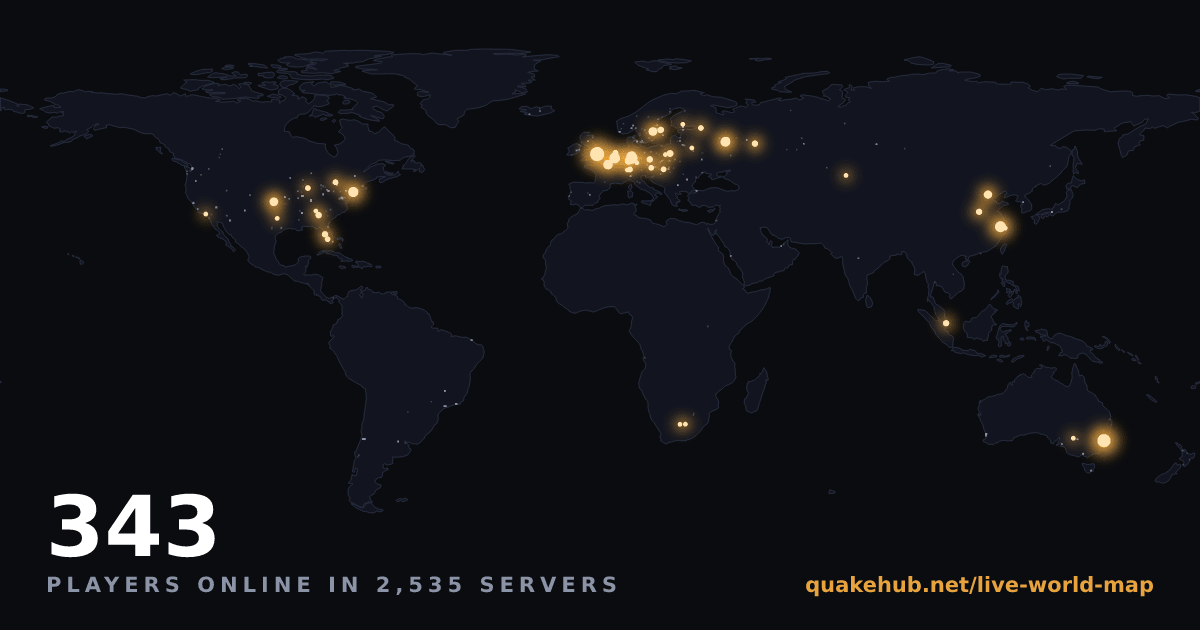
https://quakehub.net/map-card.pngMarkdown:
The living map on your own site - an iframe of the real thing: dots pulsing, counts updating, filtered to your game if you want.
embed=1 is what makes it a good
guest - embedded maps poll gently instead of holding one of the live-stream slots, never
capture your visitors' scrolling, and every link opens out of the frame. The
embed builder below writes this for you (it's the first
option), with the game, look and size picked from dropdowns:<iframe src="https://quakehub.net/live-world-map?embed=1&clean=1"
width="800" height="450" style="border:0" loading="lazy"></iframe>The map as GeoJSON - the dots themselves, in the standard geographic format everything already reads. /api/v1/locations is a live FeatureCollection of every populated server: point Leaflet, Mapbox, kepler.gl or QGIS at it and the scene renders with no code, or paste the response into geojson.io to see it instantly.
?game= filters to one game; ?all=1 adds the
~2,500 empty servers for coverage maps. Details under
/locations below.Build your own map - every server object this API returns carries the coordinates the map plots:
ll is [lat, lon] from the server's IP
geolocation (null when the lookup finds nothing - never guessed), alongside
country, region and city. Fetch
/api/v1/locations for the dots, hold /api/v1/stream open
to hear the moment a poll publishes, and you have everything the map has. Locations are
the server's, not the players' - a German server is routinely full of Dutch and
Polish players, and we don't know where anyone is sitting.
/api/v1/countries is the same geography as a table:
players and servers per country, right now.A note on the map's own feeds - the page itself fetches
/api/map,
/api/map/day and /api/map/last24. Those are its private
plumbing: unversioned, undocumented and free to change without notice. Anything you
build belongs on the /api/v1 endpoints on this page, which are stable.
Server Wrapped
The card - a 1200×630 PNG made to unfurl on a link (it is the page's og:image), re-rendered as the month fills. One
<img>, no scripts:/api/v1/card/server-month/{game}/{ip}/{port}Markdown:
The full page - the rich version the card links to, every chart and stat in one place:
https://quakehub.net/server/{game}/{ip}/{port}The data behind it - everything the page and card draw from, as JSON: the two ranks and share of the scene, peak / average / days / hours, the weighted map rotation, per-day averages, busiest hour and matches played.
?month=YYYY-MM picks a
past month (default: this month so far once it is a week old, else the latest complete one);
?quarter=YYYY-Qn or ?year=YYYY returns the same shape aggregated over
a whole quarter or year, once a server has two or more months in it:/api/v1/server-month/{game}/{ip}/{port}Wrapped exists for any server we have seen with players this month - a brand-new or empty server has no month to show yet, and the endpoints answer
404 until it does. Need
the {game}/{ip}/{port}? The lookup below turns
a name into one.
Embeddable cards
<img>, self-contained SVG, no scripts.Your server, as a live card - name, game, map, mode, real player count, location and ping:
/api/v1/card/server/{game}/{ip}/{port}Markdown:
The most active servers in all of Quake - a shareable snapshot of the whole scene:
/api/v1/card/top · add ?limit=N for 1-10 rowsOr just one game -
/api/v1/card/top/{game}:/api/v1/card/top/q2The whole scene at a glance - every game we track, side by side, biggest first. One image that answers "is Quake alive?" without picking a favourite:
/api/v1/card/sceneA game's week - the last seven days of players, so a quiet moment does not read as a dead game:
/api/v1/card/week/{game}The long view - a sparkline over as much history as we hold,
?days=N up to
a year. We started keeping daily points recently, so this fills in as time passes:/api/v1/card/trend/{game} · add ?days=90When your server is busy - average real players per hour of the day, built from every poll we have ever made of it. Put it on your own site so visitors know when to turn up instead of joining at the one dead hour and never coming back:
/api/v1/card/busy/{game}/{ip}/{port} · add ?tz=-5 for your own time zoneYour own servers - list exactly the servers you want, in your order, with your title. Down servers still show (marked
offline) instead of silently vanishing:/api/v1/card/list?servers=game:ip:port,game:ip:port&label=Your%20TitleUp to 20 servers, comma-separated, kept in the order you list them.
Live Quake streams - streams on air and total viewers:
/api/v1/badge/streams
Live embed
<script src="https://quakehub.net/embed.js" data-game="q3" data-limit="5"></script>
It renders exactly where you put the tag. Here it is running on this page - this is the real
widget reading live data, not a picture of one:A few ways it can look. Both of these are live too - and all three widgets on this page together cost exactly what one costs, because every copy on a page shares a single connection and a single fetch. Putting one per game on your site is not three times the traffic.
data-game="q2" data-limit="3" data-title="…"
data-servers="q2:1.2.3.4:27910"
data-servers and they stay in your order, across games. A box that is down
still holds its place, marked offline, because a list that quietly loses a
row makes your fleet look smaller than it is.data-servers="q2:1.2.3.4:27910,qe:1.2.3.4:26001"
data-game="q3" data-theme="light"
Options
data-servers | Your own servers, comma-separated game:ip:port ids, up to 20. Kept in the order you give them, and a server that is down still shows, marked offline. Overrides data-game.Name exactly one and it switches to a detail card: map, mode, location and a copyable connect string. |
data-game | A game id, or all (default). Same ids as everywhere else. |
data-limit | How many servers, 1-25 (default 5). |
data-title | Your own heading instead of the default. |
data-theme | dark, light, or auto (default) to follow the visitor's system setting. |
What it does on your page - no cookies, no tracking, no globals beyond one namespaced key. Server names are inserted as text, never as HTML, so a server called
<img onerror=…> is text on your page rather than script on your page.
Put several on one page and they share a single connection and a single fetch rather than
opening one each. If we are unreachable it degrades to a plain link instead of a broken box.
Embeddable badges
HTML:
<img src="https://quakehub.net/api/v1/badge/all">Options (combine freely):
?servers=true (add server count) · ?bots=true (real vs bots) · ?label=Text · ?logo=0 · ?color=hexPer-server badge - your server's live count (real players / max), for your own site or Discord:
/api/v1/badge/server/{game}/{ip}/{port}HTML:
<img src="https://quakehub.net/api/v1/badge/server/q1/65.109.238.95/27500">Name it - add
?label= with a short tag for your server (spaces → %20) to replace "QuakeHub":/api/v1/badge/server/q1/65.109.238.95/27500?label=q1
Embed builder
Find your server id
game:ip:port id. Search your server by name to get it - then
send it straight to the builder above.
Base URL
https://quakehub.net/api/v1Machine-readable spec: openapi.json (OpenAPI 3.1) - import it into Postman or Insomnia, or generate a client in any language.
Game ids
{game}, use one of these ids. /games
returns the same list with live counts, so you never have to hard-code it.
ql | Quake Live | Quake Live (Steam) | 911 servers |
q3 | Quake III Arena | Quake III Arena | 495 servers |
q2 | Quake II | Quake II (classic engine servers) | 429 servers |
q1 | QuakeWorld | QuakeWorld - Quake 1 multiplayer | 564 servers |
nq | NetQuake | NetQuake - the original Quake 1 protocol | 42 servers |
qe | Quake (Enhanced) | Quake (Enhanced), the 2021 remaster | 4 servers |
q4 | Quake 4 | Quake 4 | 16 servers |
etqw | Quake Wars | Enemy Territory: Quake Wars | 14 servers |
bloodrun | Bloodrun | Bloodrun - Quake Champions mechanics on Quake III | 12 servers |
qcde | QC: Doom Edition | Quake Champions: Doom Edition | 38 servers |
cpma | CPMA | Challenge ProMode Arena, a Quake III mod | 86 servers |
Quickstart
# One call, the whole scene right now curl -s https://quakehub.net/api/v1/summary
const r = await fetch('https://quakehub.net/api/v1/summary');
const scene = await r.json();
console.log(scene.players + ' players across ' + scene.games_populated + ' games');import requests
scene = requests.get('https://quakehub.net/api/v1/summary').json()
print(f"{scene['players']} players across {scene['games_populated']} games")// No polling at all - a frame arrives the moment a game finishes a poll
const es = new EventSource('https://quakehub.net/api/v1/stream');
es.addEventListener('update', (e) => {
const g = JSON.parse(e.data);
console.log(g.game + ': ' + g.players + ' playing');
});Recipes
One call, no searching - you already know your address.
curl -s https://quakehub.net/api/v1/server/q3/45.13.1.2/27960
players (real humans) and roster[] for who's on. A server that's offline returns 404 unknown_server.Searches every game at once, so you don't need to know which one they're in.
curl -s 'https://quakehub.net/api/v1/players?q=rapha'
server, its address, and the game. Minimum 2 characters, partial names are fine./summary is the one-call overview - no need to fetch every game and sort it yourself.
const s = await (await fetch('https://quakehub.net/api/v1/summary')).json();
const b = s.busiest_server;
console.log(b.name + ' - ' + b.players + ' playing ' + b.map);
Filters combine, so you can ask for exactly what you want.
curl -s 'https://quakehub.net/api/v1/servers/q3?populated=true&min_players=4®ion=Europe'
connect object with the exact console command to join./live gives every populated server across every game in one response, already sorted busiest-first - the whole scene in a single request.
curl -s https://quakehub.net/api/v1/live
/api/v1/stream pushes a frame the moment a game finishes a
poll, so you hear about a change within a second instead of on your next request. One idle
connection replaces a request a minute, forever.
curl -N https://quakehub.net/api/v1/stream
*/1 * * * * curl -s https://quakehub.net/api/v1/summary
Cache-Control and an ETag - an HTTP client that honours them costs you almost nothing. Check X-RateLimit-Remaining if you're running something big.Discord bot
/servers [game] |
The busiest servers right now, real players only. Leave game off for every game at once, or pick one from the list. |
/quakehub |
The whole scene in one reply: real players per game, plus the single busiest server anywhere. |
/find player name |
Where is this person playing? Searches every game at once, so you do not need to know which one they are in. Partial names work. |
/find server query |
Look up one server by name, map, or ip. Returns the live roster, current map, and scores. |
/find map name |
A thumbnail of the map plus every server currently running it. Try bloodrun, q3dm6, or dm3. |
/streams |
Quake streams live on Twitch this minute. |
/events |
Upcoming Quake tournaments and events. |
/track game game [mode] |
Ping this channel when a game comes alive. mode defaults to when a server goes live (its first real player), or choose any player joins any server if you want every arrival. |
/track server query |
Ping when one specific server gains players. Best for a clan's own box. |
/track player name |
Ping when a named player joins a server anywhere. Needs the exact name. |
/track list |
Everything this channel is tracking, each with the id you need to remove it. |
/track remove id |
Stop one track. The id comes from /track list. |
/track. It makes the bot post on its own, so it is limited to Manage Channels by default. Change that in Server Settings, Integrations, QuakeHub if you want everyone to have it. The read-only commands are open to everyone.Browser alerts
- It wakes up. What you were watching was empty and now has at least one real person on it.
- It fills up. The count beats the highest we have already told you about. Two becoming five is worth knowing; five becoming two is not.
- It is only bots. Bots and spectators are excluded before anything above is even considered. A server filling with bots pings nobody.
- It just pinged you. One per watch per 5 minutes, and never twice for the same wake-up inside 20 minutes.
- It got there late. An alert expires after 15 minutes. If your browser was offline it is dropped, not delivered stale, because "someone is on right now" stops being true.
Quake 4's master server
master.quakehub.net
and the browser fills up again.
seta net_master0 "master.quakehub.net"
net_master1 through 4 are read by nothing on the client side. Slot 0 also carries your client’s authorisation, which is why a master that only serves lists silently costs you the ability to connect. Ours forwards that traffic straight through to id’s master, so the browser fills and you can still join.seta net_master1 "master.quakehub.net:27650"
git clone and one command, and the point is not that we host one. Masters on net_master1 through 4, run by different people, is a scene that survives any single one of them going away. That is the failure we are cleaning up, so it would be daft to rebuild it with our name on it.net_master0 read-only, so this cannot be set there. The README covers what that leaves you.Notes
*), no key needed. A link back to quakehub.net is appreciated.players is REAL humans only - bots are excluded and reported separately as bots. This is the whole point of QuakeHub.X-RateLimit-* headers; 429 when exceeded). Responses are cached ~15s, so poll gently. A stream counts as ONE request, not one a minute - see /stream.ping_ms is measured from our US-East host, not from you.Endpoints
One-call snapshot of all Quake: total real players, populated/total servers, and the busiest game and server right now.
example response
{
  "updated_at": 1784060000000,
  "players": 412, "bots_excluded": 893,
  "servers_populated": 78, "servers_total": 2450,
  "games_populated": 6, "games_tracked": 10, "streams_live": 18,
  "busiest_game": { "game": "ql", "players": 203 },
  "busiest_server": { "id": "ql:…", "name": "IZI PUB#1 - CLAN ARENA", "players": 24, "bots": 0 },
  "top_map": { "map": "thunderstruck", "game": "ql", "players": 27, "servers": 2 },
  /* Quake Champions' Steam concurrent count - never folded into players above */
  "qc_steam_players": 214
}Every game with its live real-player count and populated-server count.
example response
{
  "games": [
    { "id": "ql", "name": "Quake Live", "players": 203,
      "servers_populated": 44, "servers_total": 861, "updated_at": 1784060000000 },
    { "id": "q3", "name": "Quake III Arena", "players": 87,
      "servers_populated": 23, "servers_total": 480, "updated_at": 1784060000000 }
  ]
}All servers for a game. Filters: ?populated=true, ?map=, ?region=, ?mod=, ?min_players=N (combinable).
game is one of: ql, q3, q2, q1, nq, qe, q4, etqw, bloodrun, qcde, cpma
populated | boolean | Only servers with at least one real player |
map | string | Exact map name (case-insensitive) |
region | string | Exact region name (case-insensitive) |
mod | string | Exact mod/gamedir (case-insensitive) |
min_players | integer | Minimum real players |
example response
{
  "game": "q3", "updated_at": 1784060000000, "count": 2,
  "servers": [ /* the server object shown under /server/{game}/{ip}/{port} */ ]
}One server with its current roster (from the last poll), join details, and live match state.
example response
{
  "id": "q3:45.13.1.2:27960", "game": "q3", "game_name": "Quake III Arena",
  "name": "pro-q3tourney2 · TDM", "map": "q3tourney2", "gametype": "TDM",
  "players": 6, "bots": 1, "max_players": 16, "ping_ms": 41,
  "region": "Europe", "country": "DE", "ll": [50.1, 8.6],
  "connect": { "address": "45.13.1.2:27960", "url": null, "command": "connect 45.13.1.2:27960" },
  "match": { "state": null, "red_score": 7, "blue_score": 6, "round_limit": 10, "clock": "3:12" },
  "roster": [
    { "name": "Bim", "kind": "player", "score": 24, "ping_ms": 68, "time_s": 1260, "time_observed": true },
    { "name": "UnnamedPlayer", "kind": "player", "score": 1, "ping_ms": 41, "time_s": 180, "time_observed": true }
  ]
}Find players by (partial) name across every game. Minimum 2 characters.
q | string | Partial player name, minimum 2 characters |
example response
{
  "query": "rapha", "count": 1,
  "results": [
    { "player": "rapha", "kind": "player", "game": "ql", "game_name": "Quake Live",
      "server": "IZI PUB#1 - CLAN ARENA", "server_id": "ql:54.37.93.142:27961",
      "address": "54.37.93.142:27961", "score": 42, "ping_ms": 38 }
  ]
}Find SERVERS by (partial) name across every game - this is how you get the game:ip:port id for a card embed. Minimum 2 characters.
q | string | Partial server name, minimum 2 characters |
example response
{
  "query": "retro", "count": 2,
  "results": [
    { "id": "q3:216.114.75.24:27960", "name": "RETRO FFA", "game": "q3",
      "game_name": "Quake III Arena", "address": "216.114.75.24:27960",
      "map": "q3dm17", "players": 11, "bots": 3, "max_players": 20 }
  ]
}/api/v1/liveEvery populated server across all games, busiest (most real players) first.
example response
{
  "updated_at": 1784060000000, "count": 78,
  "servers": [ /* every populated server, busiest first - same shape as /servers/{game} */ ]
}The live world map as data: every located, populated server as a standard GeoJSON FeatureCollection. Point Leaflet, Mapbox, kepler.gl, QGIS or geojson.io at this URL and the live Quake scene renders - no code, no key.
Coordinates are [longitude, latitude] as the GeoJSON spec requires - the reverse of the ll field on /servers/{game}. Each feature carries the server's id, game, name, live real-player count, current map and country. A dot is the server's IP-geolocated position, never a player's. ?all=1 adds every empty server too (the map page's faint infrastructure layer) - a much larger payload, for plotting coverage rather than activity.
game | string | Only this game's servers (e.g. q3, cpma) |
all | boolean | Include empty servers as 0-player features |
example response
{
  "type": "FeatureCollection",
  "updated_at": 1784060000000, "count": 63, "players": 402,
  "features": [
    { "type": "Feature",
      /* [longitude, latitude] - GeoJSON order, the REVERSE of the ll field elsewhere */
      "geometry": { "type": "Point", "coordinates": [8.6, 50.1] },
      "properties": { "id": "q3:45.13.1.2:27960", "game": "q3", "game_name": "Quake III Arena",
        "name": "! UnFreeZe.fpsclasico.de", "players": 14, "map": "q3wcp9", "country": "DE" } }
  ]
}Where on Earth is Quake alive right now: real players and servers per country, busiest country first, with a per-game breakdown inside each row.
Countries are the servers' locations from IP geolocation - a German server full of Dutch players counts as Germany, because we never know (or want to know) where a player is sitting. Bots are excluded everywhere, and a bot farm's residual "humans" count as 0 here, same as the map.
example response
{
  "updated_at": 1784060000000, "players": 402,
  "count": 34, "countries_populated": 19,
  "countries": [
    /* countries are the SERVERS' locations - we never know where a player is sitting */
    { "country": "DE", "players": 118, "servers": 412, "servers_populated": 22,
      "games": { "q3": 61, "ql": 38, "cpma": 19 } },
    { "country": "US", "players": 96, "servers": 780, "servers_populated": 18,
      "games": { "q2": 41, "nq": 33, "qe": 22 } }
  ]
}What is actually being played right now: map popularity by real players and server count, busiest first. Use game=all to aggregate every game. Options: ?populated=true, ?limit=N (default 50, max 500).
game is "all" or one of: ql, q3, q2, q1, nq, qe, q4, etqw, bloodrun, qcde, cpma
populated | boolean | Only count servers that have real players |
limit | integer | Max rows (default 50, max 500) |
example response
{
  "game": "all", "updated_at": 1784060000000, "count": 3,
  "maps": [
    { "map": "thunderstruck", "game": "ql", "game_name": "Quake Live", "players": 27, "servers": 2 },
    { "map": "bloodrun",      "game": "ql", "game_name": "Quake Live", "players": 25, "servers": 3 },
    { "map": "q3dm17",        "game": "q3", "game_name": "Quake III Arena", "players": 9, "servers": 1 }
  ]
}Every server running one specific map right now, fullest first. /maps/{game} tells you what is being played; this tells you where to go and play it.
Map names are matched case-insensitively. Use all as the game to search every game at once.
example response
{
  "game": "q3", "map": "pro-q3dm6", "count": 18, "players": 13,
  "servers": [ { "name": "...", "players": 6, "map": "pro-q3dm6", "connect": { "command": "connect 1.2.3.4:27960" } } ]
}Query any server live, right now, even one we have never listed. Point it at your own box to check it is actually reachable from the outside - the answer every server owner wants after editing a firewall rule or adding themselves to a master.
Unlike every other endpoint, this sends a real packet rather than reading our snapshot, so it is limited to 15 requests/minute per IP and cached for 10s per address. A server that does not answer returns 200 with online: false - "no reply" is the answer you came for, not an error. Only public internet addresses are accepted; private, loopback and reserved ranges are refused.
example response
{
  /* A server that does not answer is a RESULT, not an error: you get 200 with online:false,
     because "no reply" is exactly what you came to find out. */
  "online": true,
  "queried_at": 1784060000000,
  "game": "q2",
  "server": {
    "name": "QuakeHub.net FFA", "map": "q2dm1", "players": 3, "max_players": 16,
    "connect": { "command": "connect 149.28.241.196:27910" }
  }
}When your server is actually busy: average real players for each hour of the day, in UTC, built from every poll we have ever made of it. The question every server owner has and no other Quake site answers.
Returns enough_data: false until we have seen at least 8 hours of the day and the server has ever had somebody on it - a quiet server gets an honest "not yet" instead of a flat line presented as a finding. Same data as the history field on /server/{game}/{ip}/{port}.
example response
{
  "server": { "id": "q3:1.2.3.4:27960", "name": "Evening Server", "game": "q3" },
  "timezone": "UTC",
  /* false until we have seen 8+ hours of the day AND the server has ever been populated.
     While it is false, treat the numbers below as "not known yet", not as a finding. */
  "enough_data": true,
  "hours_covered": 24, "samples": 2016,
  "busiest_hour_utc": 19, "busiest_hour_avg": 16,
  "hourly": [0.2, 0.1, "… 24 values, one per UTC hour …"]
}What ACTUALLY happened over the last 24 hours: every server that had real players on it, with its peak count for each hour. /server/{game}/{ip}/{port}/busy tells you a server's typical day; this is the real one, different every time - the map's "Replay the last 24 hours" runs on the same log.
Each server carries 25 hourly values, oldest first, the last being the in-progress hour; a value is the hour's AVERAGE simultaneous real-player count with empty polls counted as zeros - summing per-hour peaks claimed roughly double the truth, and this endpoint would rather understate than lie. peak is the server's single busiest observed moment in the window, so the 2am pickup game is still recorded as what it was. Servers empty all day are omitted. Use all to aggregate every game. window_complete: false means the log has been recording for less than a full day (it starts at deploy), so early hours read as zero.
example response
{
  "game": "q3",
  "window": { "from": 1784000000000, "to": 1784086400000, "hours": 25 },
  "window_complete": true,
  "count": 2,
  "servers": [
    { "id": "q3:198.51.100.7:27960", "name": "EU Pickup", "game": "q3", "peak": 12,
      "hours": [0,0,0,0,0,0,0,0,0,0,2,6,12,9,4,0,0,0,0,0,0,0,3,5,1] },
    { "id": "q3:203.0.113.9:27960", "name": "2am Duels", "game": "q3", "peak": 2,
      "hours": [0,2,2,0,0,0,0,0,0,0,0,0,0,0,0,0,0,0,0,0,0,0,0,0,0] }
  ]
}Which mods are actually alive: CPMA, OSP, Excessive Plus, OpenTDM, Action Quake and so on, ranked by how many real players spent the week in them. Settles arguments that until now were settled by whoever shouted loudest.
Player-weighted over the last 7 days, not a count of servers - twenty empty CPMA servers do not outrank one full one. Use all to aggregate every game. Optional ?limit= (default 10, max 50).
limit | integer | Max rows (default 10, max 50) |
example response
{
  "game": "q3", "window": "7 days", "count": 3,
  "rows": [
    /* weight = player-time over the week, so twenty EMPTY cpma servers cannot outrank one full one */
    { "name": "baseq3", "weight": 11675, "share": 36 },
    { "name": "osp", "weight": 7508, "share": 23 },
    { "name": "unfreeze", "weight": 6903, "share": 21 }
  ]
}The same ranking for game modes: duel, FFA, CTF, clan arena, instagib. What people are really playing, rather than what the server list makes it look like.
Player-weighted over the last 7 days. Use all to aggregate every game. Optional ?limit=.
limit | integer | Max rows (default 10, max 50) |
example response
{
  "game": "q3", "window": "7 days", "count": 3,
  "rows": [
    { "name": "FFA", "weight": 14833, "share": 46 },
    { "name": "TDM", "weight": 9658, "share": 30 },
    { "name": "CTF", "weight": 5220, "share": 16 }
  ]
}Exactly the servers you name, in the order you name them. The JSON behind /card/list, and what the live embed uses to show YOUR servers rather than whichever happen to be busiest.
Pass ?servers=game:ip:port,game:ip:port, up to 20. A server that is down is still returned with online: false rather than dropped - an owner wants their empty box visible, and a list that silently loses a row is worse than one that says "offline".
servers | string | Comma-separated game:ip:port ids, up to 20, kept in the order given |
example response
{
  "count": 3, "online": 2, "players": 7,
  "servers": [
    { "id": "q2:149.28.241.196:27910", "name": "QuakeHub.net Deathmatch - Dallas",
      "game": "q2", "map": "q2dm1", "players": 5, "max_players": 16, "online": true,
      "connect": { "command": "connect 149.28.241.196:27910" } },
    { "id": "nq:149.28.241.196:26000", "name": "QuakeHub.net Deathmatch - Dallas",
      "game": "nq", "map": "dm3", "players": 2, "max_players": 16, "online": true },
    /* Still here, still in your order - a list that quietly drops a row is worse than one
       that says the box is down. */
    { "id": "q4:5.6.7.8:28004", "name": "5.6.7.8:28004", "game": "q4",
      "online": false, "players": 0, "max_players": null }
  ]
}/api/v1/bestThe single best server to join right now: the fullest one, ties broken by ping. One call instead of fetching a list and sorting it yourself.
Optional ?game=, ?region= and ?min_players=. Returns 200 with server: null when nobody is playing, because that is a true answer rather than an error.
example response
{
  "game": "all", "region": null, "min_players": 1, "candidates": 47,
  /* the fullest server right now. server is null (with a 200) when nobody is playing. */
  "server": { "name": "tastyspleen.net::dm", "game": "q2", "players": 11, "map": "q2dm1",
    "connect": { "address": "216.246.62.51:27910", "command": "connect 216.246.62.51:27910" } }
}A random server that currently has real people on it. Same filters as /best, for when you just want somewhere to go.
example response
{
  "game": "all", "candidates": 47,
  "server": { "name": "...", "players": 3, "connect": { "command": "connect 1.2.3.4:27960" } }
}Population history for a game: the last 24h series plus an average real-player count per UTC hour.
Add ?format=csv for a spreadsheet. The CSV carries the 24h series (the JSON body holds two different shapes and only that one is an actual time series).
format | string | Set to "csv" for a downloadable spreadsheet instead of JSON |
example response
{
  "game": "q3",
  "day": [ { "t": 1784056400000, "p": 84 }, { "t": 1784056490000, "p": 87 } ],
  "hourly": [ 12.4, 9.1, 6.0, 4.2, "… 24 values, one per UTC hour …" ],
  "hours_covered": 24
}Server-Sent Events. Fires an `update` the moment any game finishes a poll, so you hear about a change within a second instead of discovering it on your next poll. Sends a `hello` with every game's current counts on connect, and a keepalive comment every 20s.
One connection replaces polling entirely. The payload is counts, not the server list - a populated Quake III snapshot is 300-400KB and nobody wants that pushed at them every 90 seconds. Fetch the detail you care about when a count changes.
example response
$ curl -N https://quakehub.net/api/v1/stream

event: hello
data: {"note":"Live snapshot updates...","keepalive_seconds":20,
       "games":[{"game":"ql","players":151,"servers_populated":38,"servers_total":865}, ...]}

event: update
data: {"game":"q3","updated_at":1784060000000,"players":48,"bots_excluded":312,
       "servers_total":461,"servers_populated":14}

: keepalive

// In a browser, no library needed:
const es = new EventSource('https://quakehub.net/api/v1/stream');
es.addEventListener('update', (e) => {
  const g = JSON.parse(e.data);
  console.log(g.game + ': ' + g.players + ' playing');
});Long-term daily population: one row per day with that day's peak, average and server count, kept for the lifetime of the site. This is the one that answers "is this game growing or dying?", which a 24-hour window cannot. Bots are excluded, as everywhere.
Optional ?days= (default 365). days_held tells you how much history exists, so you can tell a quiet game from one we only started recording last week. Add ?format=csv to open it in a spreadsheet - one row per day, already the right shape to chart. qc works here too: Quake Champions has no servers to verify, so its series is Steam's concurrent count and count_kind says so - the one game whose numbers are a publisher's aggregate rather than our own headcount.
days | integer | How many days back (default 365) |
format | string | Set to "csv" for a downloadable spreadsheet instead of JSON |
example response
{
  "game": "q3", "game_name": "Quake III Arena",
  "days_held": 92, "count": 92,
  "series": [
    /* peak = busiest single poll that day, avg = mean across the day, servers = most seen */
    { "day": "2026-04-27", "peak": 118, "avg": 61, "servers": 474 },
    { "day": "2026-04-28", "peak": 132, "avg": 66, "servers": 479 },
    "… one row per day …"
  ]
}The State-of-Quake archive: one month of the whole scene as a single record - matches played (a map counts once it has held 2+ real humans AND a real human has scored a frag), human-hours, the busiest single moment with its timestamp, the 24-hour shape of the scene and its daily population line, map/gametype/mod of the month, hosting countries, how many distinct maps and countries it touched, the fake-clients-per-poll tally, server-of-the-month standings, servers that arrived and went dark, matchmaking peaks and the most-watched stream. Kept forever; recording began 2026-08.
{month} is YYYY-MM; omit it to list every month, quarter and year the archive holds. ?quarter=YYYY-Qn or ?year=YYYY returns the same shape aggregated over a whole quarter or year (once it holds two or more months). The current span serves live with in_progress: true; a finished one is a final record, cacheable forever. Counts are deliberately conservative: a match needs 2+ real humans AND a real frag on the map (a lone human, or a server of bots flicking maps with nobody scoring, is not a match), and a bot farm's residual "humans" are counted as fakes, never players. Server standings rank by total real-player hours, not average-while-populated, so a brief spike never outranks a server that carries players all month.
example response
{
  "month": "2026-08", "in_progress": true,
  "scene_peak": { "players": 511, "at": 1785900000000 },
  "matches": 4812, "human_hours": 9400,
  "servers_populated": 214, "servers_first_seen": 12, "servers_gone": null,
  "distinct_maps": 312, "distinct_countries": 41, "fakes_per_poll": 1604,
  /* the SERVERS' countries, weighted by the humans playing on them - the month's hosting map */
  "countries": [ { "name": "DE", "share": 31 }, { "name": "US", "share": 27 } ],
  "gametypes": [ { "name": "Clan Arena", "share": 34 }, { "name": "Duel", "share": 21 } ],
  "mods": [ { "name": "cpma", "share": 41 }, { "name": "osp", "share": 22 } ],
  /* the month's 24-hour shape (avg humans per UTC hour) and its daily population line */
  "hours": [ 118, 96, "… 24 values …" ],
  "daily": [ { "day": "2026-08-01", "players": 88 }, "… one per day …" ],
  "games": [
    { "game": "q3", "game_name": "Quake III Arena", "matches": 1904,
      "map_of_the_month": { "name": "q3dm17", "share": 22 },
      "fullest_match": { "players": 24, "server": "GENESIS CTF" },
      "countries": [ { "name": "DE", "share": 44 } ],
      "fakes_excluded": { "avg_per_poll": 78.5, "worst_poll": 141 } }
  ],
  "top_servers": [ { "name": "! UnFreeZe.fpsclasico.de", "game": "q3", "hours": 2260, "avg_players": 14.2, "peak": 22, "days_populated": 29 } ],
  "top_maps": [ { "name": "q3dm17", "game": "q3", "game_name": "Quake III Arena", "share": 6.2 } ],
  "matchmaking": [ { "game": "qc", "game_name": "Quake Champions", "peak": 254, "avg": 187 } ],
  "streams": { "peak_live_streams": 21, "peak_viewers": 1044,
    "top_stream": { "name": "ZooLDTV", "peak_viewers": 640 } }
}A week behind one game: most played map, mode and mod, most active country, busiest day and hour, the fullest match, and the servers carrying it. Weighted by real players, so an empty server sitting on a map all week never wins it.
game is one of: ql, q3, q2, q1, nq, qe, q4, etqw, bloodrun, qcde, cpma
example response
{
  "game": "q2", "game_name": "Quake II",
  "days_observed": 7, "map_days_observed": 7,
  "peak": { "players": 82, "at": 1784060000000 },
  "busiest_day_utc": 0, "busiest_day_avg": 48.2,
  "busiest_hour_utc": 19, "busiest_hour_avg": 71,
  "occupied_share": 100,
  "maps":  [ { "name": "q2dm1", "players": 812, "share": 24 } ],
  "modes": [ { "name": "DM", "players": 1907, "share": 56 } ],
  /* Action Quake beats vanilla in Quake II - the kind of thing only a week of data shows */
  "mods":  [ { "name": "action", "players": 1955, "share": 58 } ],
  /* the SERVERS' countries, from a geo lookup on their IPs - not where the players are */
  "countries": [ { "name": "US", "players": 3012, "share": 89 } ],
  "fullest_match": { "players": 12, "server": "tastyspleen.net::dm", "map": "q2dm3", "at": 1784060000000 },
  "top_servers": [
    { "id": "q2:1.2.3.4:27910", "name": "tastyspleen.net::dm", "address": "1.2.3.4:27910", "avg_players": 4.9, "players": 6 }
  ],
  "servers_tracked": 428, "servers_populated": 12
}The week as an embeddable SVG: most played map, mode and mod, busiest hour, fullest match, peak. One tag, no scripts. Rows that have not been earned yet are omitted rather than shown empty.
game is one of: ql, q3, q2, q1, nq, qe, q4, etqw, bloodrun, qcde, cpma
example response
GET /api/v1/card/week/q2
Content-Type: image/svg+xml
Which Quake master servers still answer, and how many servers each returns. Nobody else publishes this, and the numbers are the point: the only master stock Quake III asks answers with a fraction of what the community masters return, and Quake 4's public masters answer with nothing at all. Measured every 30 minutes rather than asserted, so read the counts instead of trusting a claim. alive=null means we do not speak that master's protocol, which is not the same as dead.
example response
{
  "checked_at": 1784060000000, "count": 18, "alive": 15, "dead": 1,
  "masters": [
    /* the only master stock Quake III asks. It answers - with a fraction of the list a
       source port sees, which is the actual reason to install one. */
    { "game": "q3", "game_name": "Quake III Arena", "host": "master.quake3arena.com", "port": 27950,
      "alive": true, "servers": 99, "ms": 41, "error": null },
    { "game": "q3", "game_name": "Quake III Arena", "host": "master.ioquake3.org", "port": 27950,
      "alive": true, "servers": 891, "ms": 210, "error": null },
    /* Quake 4's masters really are gone; this one is ours (quakehub-q4master). */
    { "game": "q4", "game_name": "Quake 4", "host": "master.quakehub.net", "port": 27650,
      "alive": true, "servers": 19, "ms": 465, "error": null },
    /* alive:null = we do not speak this master's protocol. Unknown, not dead. */
    { "game": "qe", "game_name": "Quake (Enhanced)", "host": "dpmaster.deathmask.net", "port": 27950,
      "alive": null, "servers": null, "error": "protocol_not_queryable" }
  ]
}Live Quake streams on Twitch right now, most viewers first.
example response
{
  "updated_at": 1784060000000, "count": 1,
  "streams": [
    { "user": "zooldtv", "name": "ZooLDTV", "title": "Quake Live duels all night",
      "viewers": 210, "game": "Quake Live", "language": "en",
      "url": "https://twitch.tv/zooldtv", "thumbnail": "https://…-440x248.jpg" }
  ]
}Upcoming Quake tournaments and events, soonest first.
example response
{
  "updated_at": 1784060000000, "count": 1,
  "events": [
    { "game": "ql", "name": "250 FPS QL League - Season 6", "starts": "2026-09-12",
      "ends": null, "prize": null, "tier": null,
      "link": "https://www.plusforward.net/quake/events/", "source": "plusforward",
      /* the backend's pin decision - true when the title, venue or a BYOC marker says QuakeCon */
      "quakecon": false }
  ]
}Embeddable SVG badge with the live real-player count (game=all for the grand total). Options: ?servers=true, ?bots=true, ?label=, ?logo=0, ?color=hex.
example response
GET /api/v1/badge/q3
Content-Type: image/svg+xml
Embeddable SVG badge for ONE server (its live real players / max) - for server owners. Same options as above.
example response
GET /api/v1/badge/server/q1/65.109.238.95/27500
Content-Type: image/svg+xml
Embeddable SVG badge with the number of live Quake streams on Twitch and their total viewers.
example response
GET /api/v1/badge/streams
Content-Type: image/svg+xml
Embeddable SVG CARD for one server - name, game, map, mode, live player count, location and ping. Richer than a badge, for a site or forum signature.
example response
GET /api/v1/card/server/q1/65.109.238.95/27500
Content-Type: image/svg+xml
Your server's busy hours as an embeddable image: a bar per hour of the day, the busiest one called out. For a server's own site, so visitors can see when to turn up rather than joining an empty box and never coming back.
Add ?tz=-5 (hours offset from UTC) to label it in your own time zone. Renders an honest "still learning this server's hours" card until there is enough data.
tz | integer | Hour offset from UTC for the labels, e.g. -5 or 2 |
example response
GET /api/v1/card/busy/q1/65.109.238.95/27500
Content-Type: image/svg+xml
The whole of Quake in one image: every game with its live player count, biggest first. The other cards show which SERVERS are busiest; this shows how the scene as a whole is doing.
example response
GET /api/v1/card/scene
Content-Type: image/svg+xml
Daily peak players over time, as a sparkline. Built from history kept for the lifetime of the site, so it answers the question no other Quake site can: is this game growing or dying?
Optional ?days= (default 30). The card states how many days it actually covers, so a short history reads as short rather than as a confident line through two points.
example response
GET /api/v1/card/trend/q3
Content-Type: image/svg+xml
Embeddable SVG card: the most active Quake servers right now, across every game. Options: ?limit=N (1-10, default 5), ?label=Your Title.
limit | integer | How many servers to list (1-10, default 5) |
label | string | Replace the card title |
example response
GET /api/v1/card/top?limit=3
Content-Type: image/svg+xml
The same board for ONE game - e.g. /card/top/q2 renders "Most Active Quake II Servers". Same options.
game is one of: ql, q3, q2, q1, nq, qe, q4, etqw, bloodrun, qcde, cpma
limit | integer | How many servers to list (1-10, default 5) |
label | string | Replace the card title |
example response
GET /api/v1/card/top/q2?limit=3
Content-Type: image/svg+xml
Embeddable SVG card listing YOUR servers, in the order you give them. Pass ?servers=game:ip:port,game:ip:port (up to 20) and optionally ?label=Your Title. Servers that are down still render, marked offline.
servers | string | Comma-separated game:ip:port ids, up to 20, kept in the order given |
label | string | Card title (default "Our Quake Servers") |
example response
GET /api/v1/card/list?label=Our%20Servers&servers=q2:149.28.241.196:27910,nq:149.28.241.196:26000,q4:149.28.241.196:28004,bloodrun:149.28.241.196:27960,cpma:149.28.241.196:27962,qcde:149.28.241.196:10666
Content-Type: image/svg+xml
Understanding the numbers
players | Real humans. This is the number you almost always want. |
bots | Clients we identified as bots - reported so you can see them, never mixed into players. |
kind | On a roster entry: "player", "bot", or "spectator" (connected but not playing - also excluded from players). |
players: 2, bots: 14. That gap is the entire point of the project - if you just want the honest headline number, read players and ignore the rest.Response fields
/servers, /server, /liveplayers - REAL humans, bots excluded (the honest count)bots - detected bots, counted separatelyping_ms - measured from our US-East host, not from youconnect - { address, url, command }: url is a steam:///qw:// handler (else null); command is the in-game console connect (else null)match - live match state (red_score, blue_score, limits, clock) or nullregion / country / city - geo of the server hostupdated_at - epoch milliseconds of the last poll
/server → roster[]kind - "player" | "bot" | "spectator"score / ping_ms - as the server reports themtime_s - seconds connected: server-reported for Quake Live, QuakeWorld & QC:DE; otherwise QuakeHub's observed timetime_observed - true when time_s is observed (starts when we first saw the player, so it may undercount)
Errors
error code and a human message, so you can branch on the code and show the message:
{ "error": "unknown_game", "message": "No such game. Try: ql, q3, q2, …" }
| 400 | bad_request | A parameter is missing or malformed. |
| 400 | bad_address / address_not_allowed / bad_port | Only from /query: the address is not a plain public IPv4, or the port is outside 1024-65535. Private, loopback and reserved ranges are always refused. |
| 404 | unknown_game | That game id isn't one we track - the message lists the valid ids. |
| 404 | unknown_server | No such server in the last poll (it may be offline). |
| 429 | rate_limited | Over 120 requests/minute from your IP (or 15/minute on /query). Back off and retry. |
| 503 | too_many_streams | Only from /stream, when every stream slot is in use. Poll the JSON endpoints instead, or retry shortly. |
| 503 | busy | Only from /query, when too many live queries are already in flight. Retry in a moment. |
X-RateLimit-Limit and X-RateLimit-Remaining, so you can pace yourself before hitting a 429.Data is best-effort with no SLA; endpoints under
/api/v1 are stable and versioned.